Trustworthy Tax Automation
Designing an AI tax platform CPAs could actually verify
I designed the Input experience for Aiwyn's AI tax preparation product, the stage where CPAs spend most of their time and the part of the product that was least defined. The core idea: every number should be understandable and traceable to its source, so CPAs at top-100 firms can verify what the AI produces before they stake their name on it. I used Claude Code and Figma Make to prototype in about a week what would normally take a month or two, which made room for more real validation with CPAs.
Designing an AI tax platform CPAs could actually verify
Role
Business Line Design Owner, Tax
Owned
End-to-end UX for the Input experience, from research through AI-assisted prototyping
Partnered with
Engineering and data science, translating AI capability into interaction design
Platform
AI tax preparation product for CPAs at top-100 accounting firms
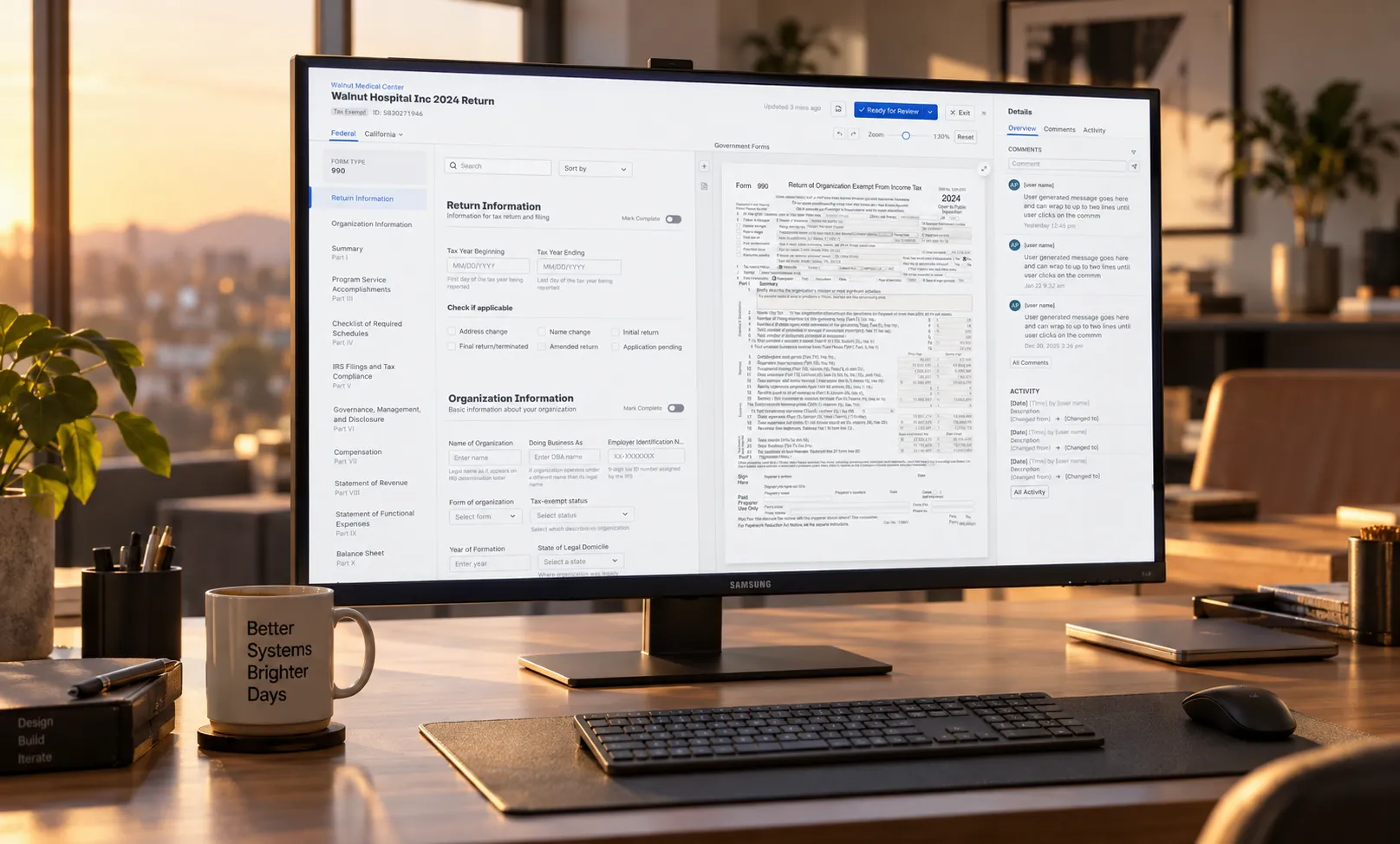
Strategic context & problem
I was the Business Line Design Owner for Tax at Aiwyn, responsible for the end-to-end UX of a new tax preparation product. The product sat at the intersection of AI-generated tax forms, complex regulatory rules, and high-risk financial workflows, where incorrect output could mean a failed filing, a missed deadline, or a firm losing trust in the platform entirely. My job was bridging AI, engineering, and UX so the system read as understandable and auditable, not just automated.
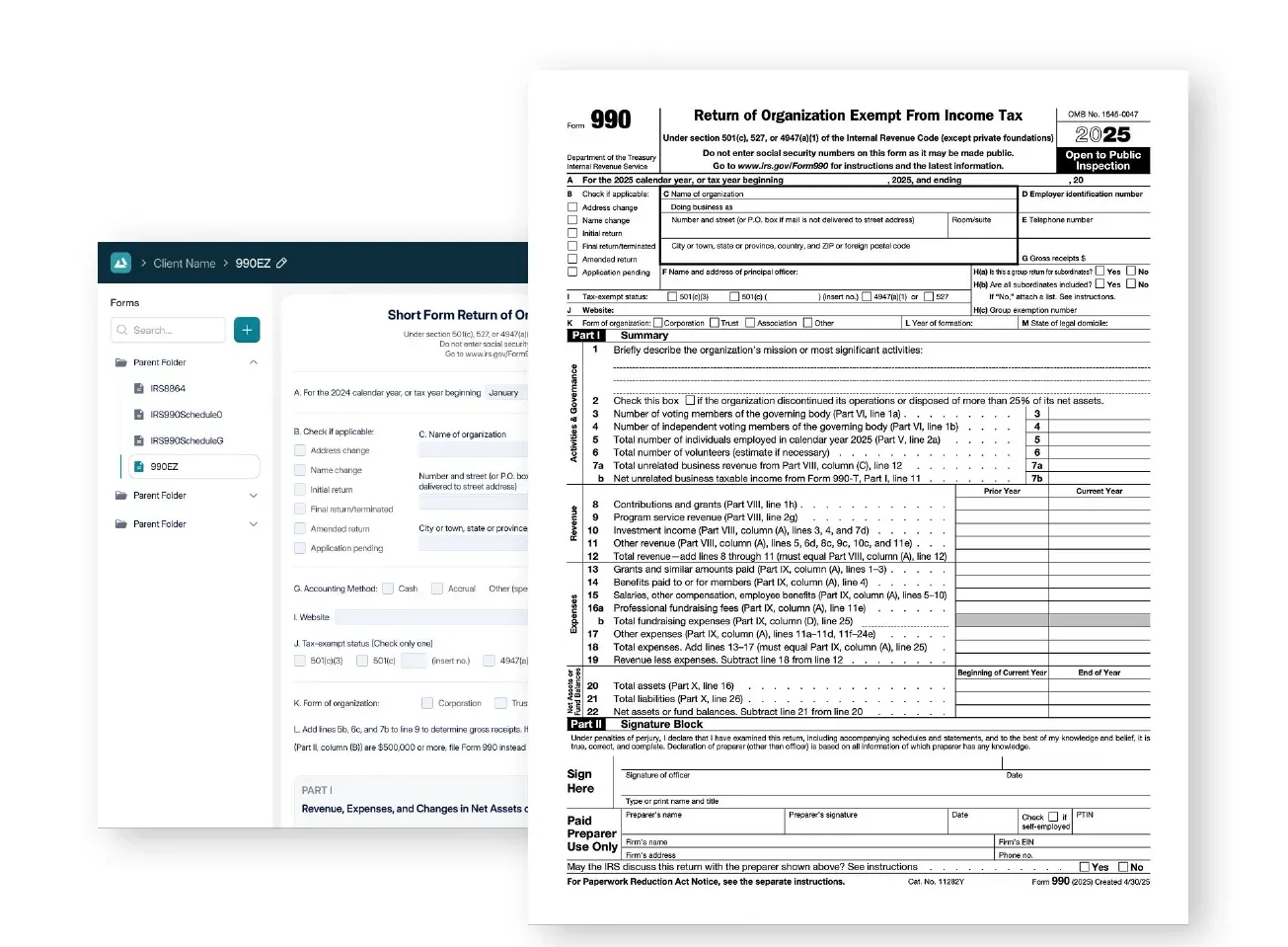
Early iterations struggled for two reasons. Some designs were data-heavy and executive-oriented, built for high-level review rather than hands-on preparation. Others mirrored IRS forms too literally, treating the government return as the primary data-entry surface instead of an output artifact. Neither matched reality. Through interviews with CPAs, the same thing kept surfacing: the majority of a tax professional’s time is spent in Input, not Review. Yet Input was the least defined part of the product. Competitors’ biggest support burden was explaining how their numbers got calculated in the first place, eroding trust in the automation itself.
Process
To reframe the problem, I mapped the full CPA workflow, start to finish.
I built flow diagrams showing how work handed off between steps, whiteboarded the disconnected vendor landscape CPAs actually navigate day to day, and validated journey maps against interviews, sales calls, and SME feedback. That work aligned product, engineering, and leadership on one shared truth: if Input wasn’t fast, transparent, and trustworthy, everything downstream broke.
One constraint was already locked in before I joined. Engineering and product had committed to an absolute-positioned, zoomable canvas that could mirror IRS forms exactly and scale across thousands of variants, driven by AI pipeline limitations and e-filing fidelity requirements. My job wasn’t to reverse that decision. It was to make it usable, scalable, and trusted for real tax prep work.
Solution
The core UX challenge was never data entry. It was understanding where a number came from and whether it was correct. I designed the Input experience around three principles.
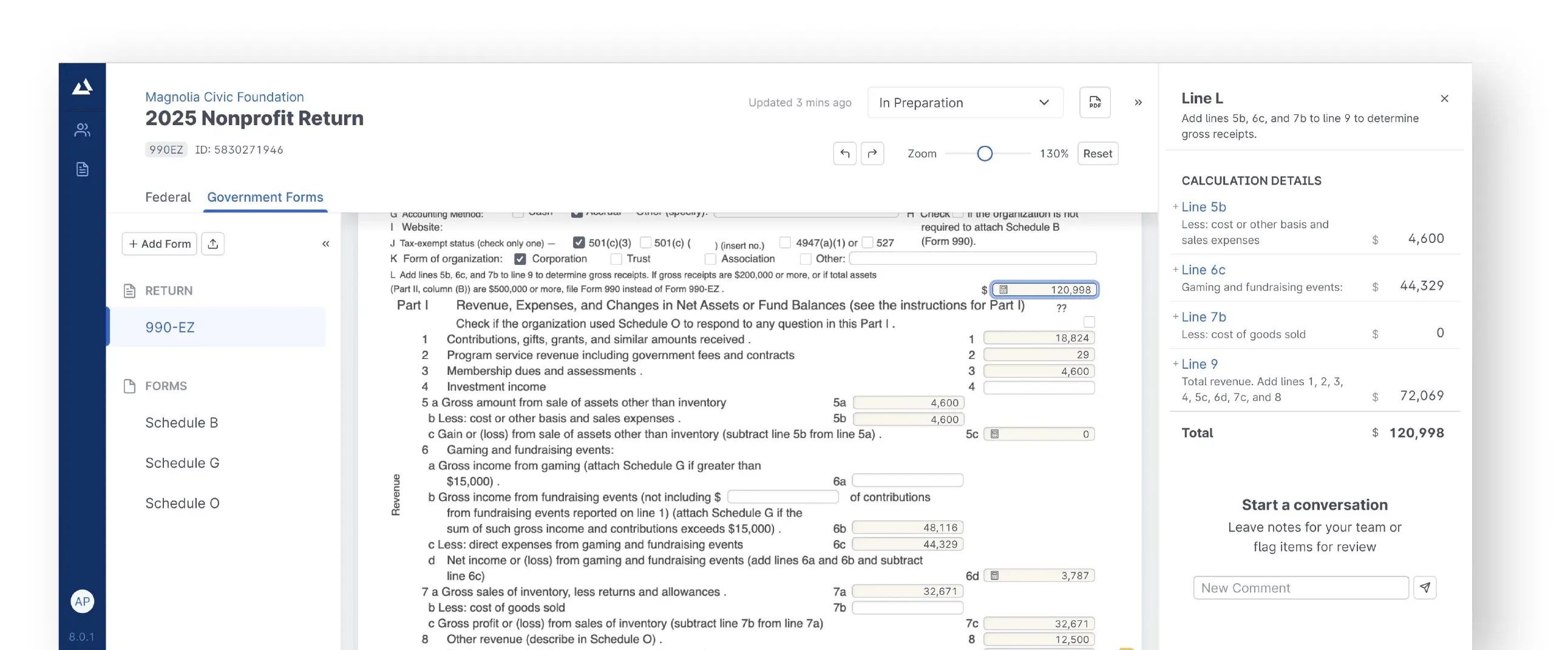
Keep primary and reference data visible together. CPAs constantly check values against client source documents, prior-year returns, and summary tables. I redesigned the layout to surface that context alongside the active field, eliminating window-switching and the cognitive load that comes with it.
Progressive disclosure without interruption. Instead of modals or blocking flows, context appeared on field focus, in a persistent sidebar, without ever obscuring the form. That preserved momentum while still supporting deep verification when someone needed it.
Make calculations auditable. For every calculated value, a CPA could see how it was derived, trace the contributing fields, drill down to integer values, and follow the chain all the way back to source documents.
Validation
Part of validating this fast was using AI to build faster, not just designing for AI.
I fed Claude Code the full IRS Form 990 instruction set, real publicly disclosed nonprofit returns, and the underlying XML data structure, then used it to prototype conditional logic in Figma Make: the system inferring which forms and schedules applied based on what a CPA had entered, with the CPA able to override it. Work that would normally take a month or two of prototyping was ready to test in about a week.
That speed mattered because it meant more real validation cycles, not just faster mockups. I tested the resulting designs with real client data and real returns, then ran usability sessions with CPAs across experience levels and iterated on confusion points, verification behavior, and speed of entry. The sessions kept reinforcing the same three things: Review mattered, but Input determined success. Trust increased whenever a calculation was explainable. Reduced context switching improved both speed and confidence.
Outcomes & impact
Early signals were encouraging rather than conclusive: increased confidence from pilot customers, internal stakeholders, and tax SMEs; improved sentiment from firms reviewing the designs directly; and clear cross-team alignment that Input was now treated as a core workflow, not an afterthought bolted onto Review.
Takeaway
Automation only works when the people using it can understand, verify, and trust it. My role here was to bridge what the AI could technically do, the engineering constraints we had to live within, and the judgment CPAs needed to actually rely on the output, turning a technically impressive system into something a tax professional could stake their name on in a high-risk, regulated environment.
Other projects
Let's build something
worth trusting.
Get in touch
Have a role, a team, or a hard problem worth solving? Send a note and I'll get back to you.